Shopify redesign guide
Does your Shopify store need a redesign – or better fixes?
A Shopify store that feels dated often needs targeted fixes, not a redesign. If one journey is broken, repair or test that journey – at OUXP, small theme changes start at $500 and most single customizations are delivered in 3–10 business days. Redesign when problems repeat across many templates, the catalog has outgrown its structure or the brand has changed; we scope that as its own project.
What is the store stopping customers or your team from doing?
Your Shopify store may feel dated, but that does not tell you what to do next. A redesign is one answer; a focused repair, clearer product information or a simpler process may be a better one.
Ask a different question
“Do we like the website?” points to a redesign by default. “What is it preventing customers or our team from doing?” points to the evidence.
Write down the friction you can observe – customers who can’t choose a variant, a collection page that’s hard to use on a phone, a product-data task staff repeat every week, a feature that broke after an app update.
Keep observations separate from explanations. “People leave this page” is an observation if your data supports it. “The page looks old, so people leave” is a hypothesis. The fix should follow the evidence.
Where the evidence usually sits
- Your analytics funnel. Where sessions drop between product page, cart and checkout – split by device, because mobile and desktop often fail in different places.
- Session recordings and heatmaps. Taps on things that aren’t links, repeated clicks on a variant selector, filters nobody uses.
- Site search. Searches that return nothing show what customers expect to find and can’t.
- Support tickets and chat logs. The same question every week – sizing, delivery dates, returns – usually means the answer is missing from the page.
- Real-user speed data. Core Web Vitals from the web performance report in your Shopify admin, not a one-off lab score.
- Your team’s week. Tasks repeated by hand, and small changes that always need a developer.
What’s the difference between a repair, an optimization and a redesign?
A repair restores or improves a defined behavior: a broken selector, an app conflict, a layout issue or a missing piece of information.
An optimization tests or evaluates a better way to achieve an outcome: clearer product comparison, improved navigation or a different presentation of a delivery message.
A redesign changes a broader system: the visual language, page structure, templates and the way the store supports your catalog or brand.
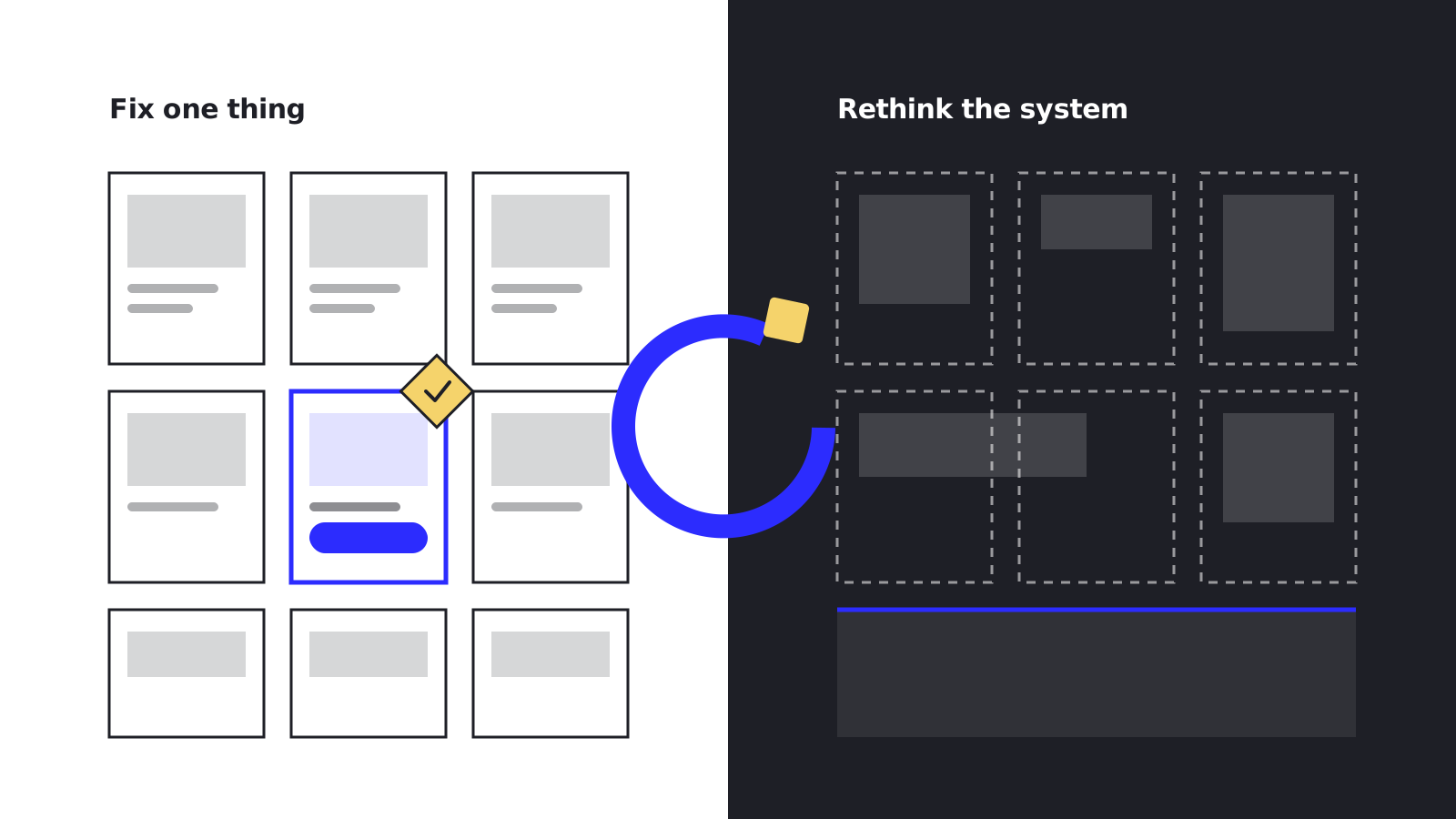
These can overlap. The point is to understand the size of the decision before committing to the size of the project.
How to tell you picked the wrong one
- A repair is the wrong tool when the same fix keeps coming back on other templates.
- An optimization is the wrong tool when the page template can’t support the better version you want to test.
- A redesign is the wrong tool when the problem is one journey, the tracking or the offer.
When are targeted fixes enough?
Consider focused changes when the underlying store fits the business and the main problems can be described clearly. Typical targeted work:
- Repairing a variant selector or a mobile control
- Resolving an app conflict after an update
- Reorganizing a collection, its filters or the menu
- Adding sizing, delivery or returns information where customers ask for it
- Removing unused apps and scripts that slow every page
- Building a section your team can edit without a developer
- Fixing tracking before anyone judges the design
- Removing an unnecessary step from an internal process
Targeted work also shows what a future redesign should address, without treating every frustration as evidence that the whole store must be replaced.
At OUXP, each change is built in a preview theme and checked across devices before it reaches the live store. Small changes start at $500; most single customizations cost $1,000–$5,000 and are quoted within 1 business day. See Shopify theme customization for what’s included.
“We brought in OUXP for some CRO fixes and theme/app compatibility issues, and they absolutely overdelivered. They didn't just patch things - they tracked down the real root causes, cleaned up our theme and got all the key apps working together smoothly. The store works faster, more solid, and we're seeing a clear bump in conversions.”
When does a redesign make sense?
A redesign makes sense when problems recur across many templates, the catalog has outgrown the current structure, the brand has changed substantially or normal updates require repeated workarounds.
Look for connected constraints. If improving one page repeatedly breaks another, or the team cannot maintain consistent content across the store, you may be dealing with a system problem rather than a list of isolated fixes.
Even then, a redesign brief should specify what needs to improve. “Make it modern” is not enough to guide decisions or judge the finished work.
Old code is not the same as an old design
A theme can be technically outdated and still look right. Themes built before Online Store 2.0 let you add and reorder sections only on the homepage and can’t use app blocks, and years of edits by different developers make every change risky.
That calls for refactoring the code, or rebuilding the theme on current architecture – which can keep your design as it is. Redesign only when the design itself is part of the problem.
What a redesign puts at risk – and how to contain it
| Risk | How to contain it |
|---|---|
| Conversion drops after launch, and nobody can say why | Record a baseline before the build. Where traffic allows, A/B test the new theme against the old one before switching everyone over. |
| Search rankings slip | On Shopify, product and collection URLs don’t change with the theme – but renamed handles, removed copy, new headings or missing structured data can still cost rankings. Keep handles stable, redirect anything that changes and check structured data before publishing. |
| Apps stop working | App blocks and app embeds have to be added again in the new theme, and apps that added code straight into the old theme’s files need that code installed again – through the app’s setup or its support team. List every app and test each one before launch. |
| Custom content gets lost | Content stored in the old theme – section and block settings, theme settings and custom Liquid – doesn’t move to a new theme. Inventory it first, and list every place a metafield or metaobject is shown: the data stays in the store, but the new theme has to be connected to it. |
| Launch day disrupts trading | Build in an unpublished theme and test it on real devices. Publish outside a promotion, and keep the old theme ready to republish. |
At OUXP, a redesign is built in an unpublished theme and checked across devices, performance and accessibility before it’s published, with a fixed quote and timeline agreed after a short review of your theme code. See Shopify theme redesigns.
What should you investigate first?
Match what you observe to the next investigation – not straight to a solution. “Often leads to” shows where each one usually ends up.
| What you observe | Often leads to | A sensible next investigation |
|---|---|---|
| One important feature is broken | A repair | Reproduce the issue and assess a focused repair |
| Customers struggle with a particular decision | An optimization, often tested | Review that journey, its content and available behavioral evidence |
| Many templates no longer fit the catalog | A redesign | Assess the information architecture and redesign scope |
| Staff repeat predictable manual work | Automation, not design | Map the workflow and assess rules, integration or automation |
| Results changed without an obvious site change | Often no site change at all | Check tracking, traffic, offer and operational factors before blaming the design |
| Pages feel slow, especially on phones | Performance work | Compare real-user Core Web Vitals with lab scores and measure what each app and script costs |
| Every small change needs a developer, or breaks something else | A refactor or theme rebuild – a redesign only if the design is also the problem | Review the theme’s architecture and the history of edits |
| The brand has changed and the store no longer looks like the business | A redesign | Write down what must change and what must stay, then scope it |
A starting point, not a diagnosis: one store often matches several rows at once.
Repeated manual work is rarely a design problem. Product-data rules, order routing and stock syncs belong to app and automation development; slow pages belong to performance optimization, which typically takes 2–4 weeks.
What does each option cost, and how long does it take?
A single change usually costs $1,000–$5,000 (small ones from $500) and is delivered in 3–10 business days. A redesign is a project with its own design phase, quoted once the scope is clear. These are OUXP’s prices as of October 2026.
| Option | Price | Timing | What you get |
|---|---|---|---|
| Single fix or customization | Small changes from $500; most $1,000–$5,000 | Most quoted within 1 business day and delivered in 3–10 business days | One defined change to your current theme, built in a preview theme and tested across devices |
| Store audit | $2,500 flat | Report in 5 business days | Speed, code, technical SEO, conversion, apps and security reviewed; findings ranked by impact and effort; a walkthrough call |
| Performance optimization | Quoted per project | Typically 2–4 weeks | Theme, app and media fixes, measured on real-user Core Web Vitals before and after |
| Conversion testing | Audit quoted as a fixed-scope project; testing through the Growth ($5,000/month) or Dedicated ($9,500/month) retainer | Monthly testing cadence | A conversion audit, a ranked test backlog, monthly A/B tests and winners shipped as production code |
| Ongoing improvements | From $2,500/month (Essential, 20 hours) | Month-to-month; cancel with 30 days’ notice | A monthly block of engineering hours for fixes and theme work; unused hours roll over one month |
| Full redesign | Scoped as a project; fixed quote after a short review of your theme code | Fixed timeline agreed in the quote | New design, templates and sections, built in a preview theme and launched with a publish |
Redesign budgets depend on the number of templates and custom sections, the content to rebuild and the apps to re-integrate – which is why they are quoted after a short review of your theme code, not from a price list.
If the cause isn’t clear yet, start with a Shopify store audit. The findings become a prioritized plan, fixes are quoted separately and the report is written so any developer can act on it.
How will you know it worked?
Choose measures that fit the problem – and agree them before the work starts, not after.
| Kind of work | Success means | How to measure it |
|---|---|---|
| Repair | The required behavior works across agreed devices and scenarios | A test checklist signed off before launch; the related support tickets stop |
| Workflow change | Less time per task, fewer corrections | Handling time and correction rate, before and after |
| Optimization | A defined metric moves, and you can say why | An A/B test where traffic allows; otherwise a documented before-and-after comparison |
| Performance work | Faster pages for real customers | Real-user Core Web Vitals (LCP, INP, CLS), not only lab scores |
| Redesign | The problems in the brief are gone, and key metrics hold or improve | The brief used as a checklist, plus metrics against the recorded baseline |
Record the baseline first
Before anything changes, record the numbers below for the pages involved. Note other events that could affect the comparison, such as promotions, pricing, stock availability or a different traffic mix – a positive before-and-after number alone does not establish what caused it.
- Conversion rate by device
- Add-to-cart and checkout-start rates
- Revenue per session
- Real-user Core Web Vitals
- Support tickets by topic
- Time spent on the manual task
Where traffic allows, an A/B test settles the question. As a rough floor, a test needs a few thousand sessions per variant, and many more when the change is small. Below that, use qualitative research and careful before-and-after measurement and say which method you used – our conversion rate optimization page explains how we run tests at different traffic levels.
“They did A/B test for old theme vs new theme, the result showed that the conversion rate is very higher than old theme. Great work!”
Where does AI fit?
AI can sort the evidence and draft options faster. It doesn’t choose the right project for you, and a quick draft still needs context, review and testing. Speed has value only when accepted work reaches the team sooner – not when more drafts are produced.
- Useful for: grouping session recordings, search terms and support tickets into themes; drafting layout or copy variants to test; a first pass at code that an engineer reviews.
- Not a substitute for: deciding the scope, reading a test result or checking a change on real devices.
- Often simpler: a Shopify Flow rule or a built-in platform feature for a task that repeats the same way every time.
At OUXP, AI speeds up analysis and first drafts, and a senior engineer reviews everything before it ships. AI commerce solutions covers where AI pays off inside the store itself.
What should a useful brief include?
A short brief makes the first conversation useful. Bring:
- The store URL and the pages affected
- Examples of the problem – screenshots or a short screen recording
- The data you have: funnel numbers, search terms, support themes
- Constraints: deadlines, peak trading dates, budget range and apps you must keep
- What must stay, what can change and who will make decisions
Please don’t include passwords or customer information – an engineer asks for the access a task needs when it’s needed.
A good next step is a clear scope. Sometimes that is a redesign. Sometimes it is a much smaller piece of work that removes the real obstacle.
What happens after you send it
An OUXP engineer replies within 30–60 minutes during business hours (Mon–Fri, 9 AM–9 PM ET). Depending on what the brief shows, the next step is a fixed quote for a single change, a store audit when the cause isn’t clear or a scoped redesign project – and continuing work can move to a monthly retainer and maintenance plan.
Still can’t say what’s wrong? A $2,500 store audit ranks every problem by impact and effort, with the report in 5 business days.
Redesign or fixes: common questions
Short answers to what store owners ask us before deciding. Something else? Ask an engineer.
How much does a Shopify redesign cost?
OUXP scopes full redesigns as projects and gives a fixed quote and timeline after a short review of your theme code, because the price depends on the number of templates and custom sections, the content to rebuild and the apps to re-integrate. Targeted work is smaller: small theme changes start at $500, and most single customizations cost $1,000–$5,000. If you can’t yet tell which you need, a $2,500 store audit ranks the problems first.
Will a redesign hurt our SEO?
Not if URLs, content and metadata are carried over deliberately. On Shopify, product and collection URLs don’t change when you switch themes, so the main risks are renamed handles, removed copy, changed headings, slower pages and missing structured data. Keep handles stable, redirect anything that changes, carry over titles and meta descriptions, check structured data before publishing and watch Search Console in the weeks after launch.
Does the store go offline during a redesign?
No. The new design is built in an unpublished copy of the theme, which you preview and test on real devices while the live store keeps selling. Launching is a publish, not a migration. Schedule it outside a promotion or peak trading day, and keep the previous theme in your theme library so it can be republished quickly if something unexpected shows up.
How quickly can targeted fixes ship?
Most single customizations are quoted within 1 business day and delivered in 3–10 business days, built in a preview theme and checked across devices first. Performance projects typically take 2–4 weeks. If something is broken right now – checkout errors or a store that won’t load – use emergency support: a first response within 30–60 minutes during business hours (Mon–Fri, 9 AM–9 PM ET). Outside those hours, call +1 (818) 651-3226 – the emergency line is open 24/7. Retainer clients with 24/7 cover (the Emergency Add-on, or included on the Dedicated tier) get a first response within 2 hours; otherwise engineers answer as they are available.
Should we get a store audit before deciding?
If you can’t yet say what’s wrong, yes. OUXP’s store audit costs $2,500 flat and delivers a written report in 5 business days, covering speed, code quality, technical SEO, conversion, apps and security, with every finding ranked by impact and effort. You get a walkthrough call and a quote for any fixes, with no obligation – the report is written so any developer can act on it.
Do we need Shopify Plus to redesign our store?
No. Theme design and customization work on every Shopify plan. Shopify Plus matters when the redesign reaches the checkout: customizing the information, shipping and payment steps with checkout UI extensions, and styling through the Checkout Branding API, need Plus. On other plans you can still brand the checkout in the checkout editor and add extensions to the Thank you and Order status pages.
Should we redesign while moving to Shopify Plus from another platform?
You can, but decide it deliberately. Rebuilding your current design on Shopify (theme parity) is the cheaper, faster path; a redesign adds a design phase, cost and more to test at launch. If the design itself is part of the problem, combining them avoids building twice. A free migration assessment gives timeline and cost bands within 2 business days; the price is fixed in writing before work starts. Already on Shopify? Upgrading to Plus keeps your theme.
Tell us what’s getting in the way
Talk it through on a free 30-minute call with an engineer, or send the store URL and the problem you can see. We reply within 30–60 minutes during business hours with a next step sized to it – a fix, an audit or a redesign scope.